
Automatic Rollover
Rollover that happens on its own
Set a date on the template, and every project tied to it rolls forward automatically.
1
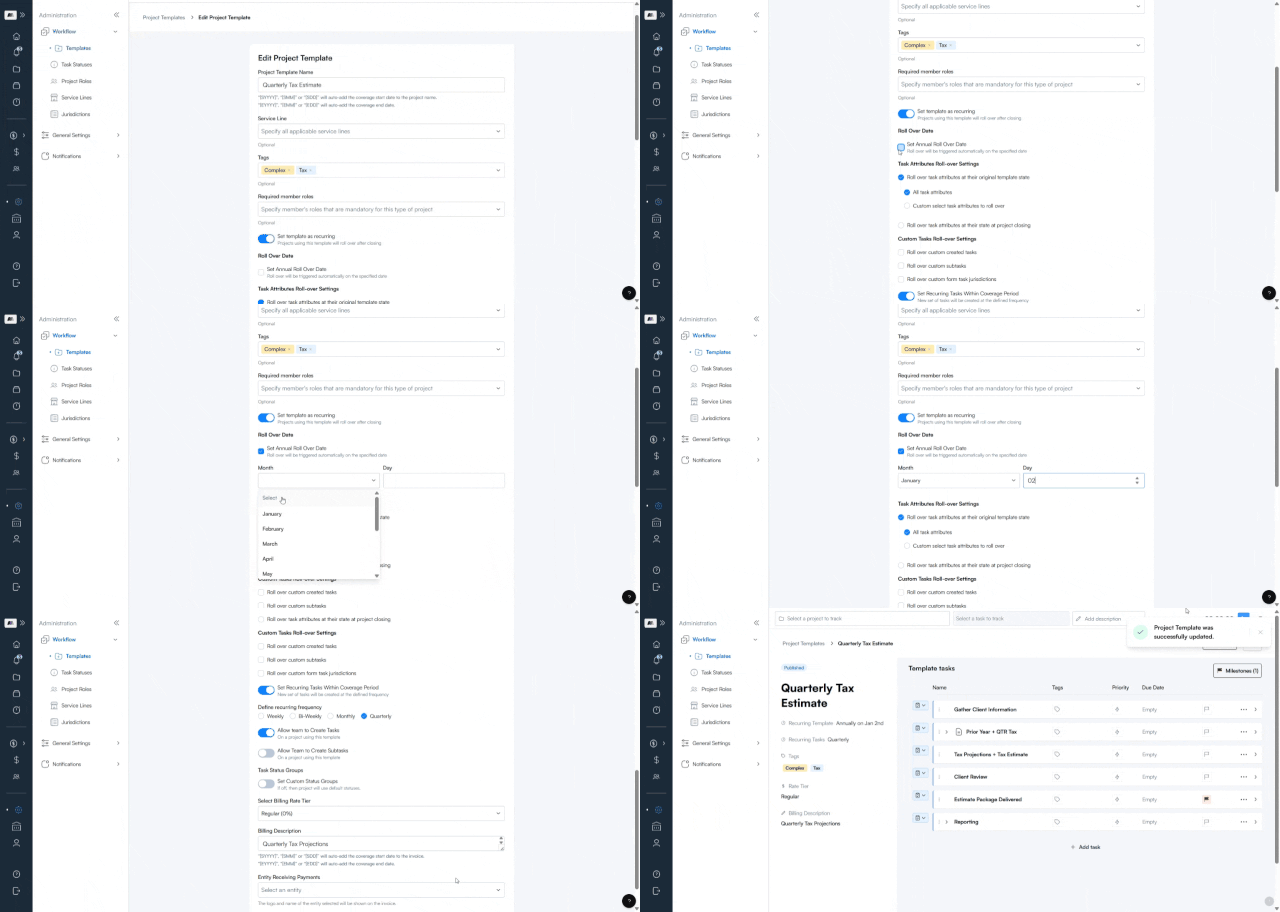
Set it once, on the template.
Turn on automatic rollover for any template and pick the month and day it should trigger — no year needed, since it repeats annually.
2
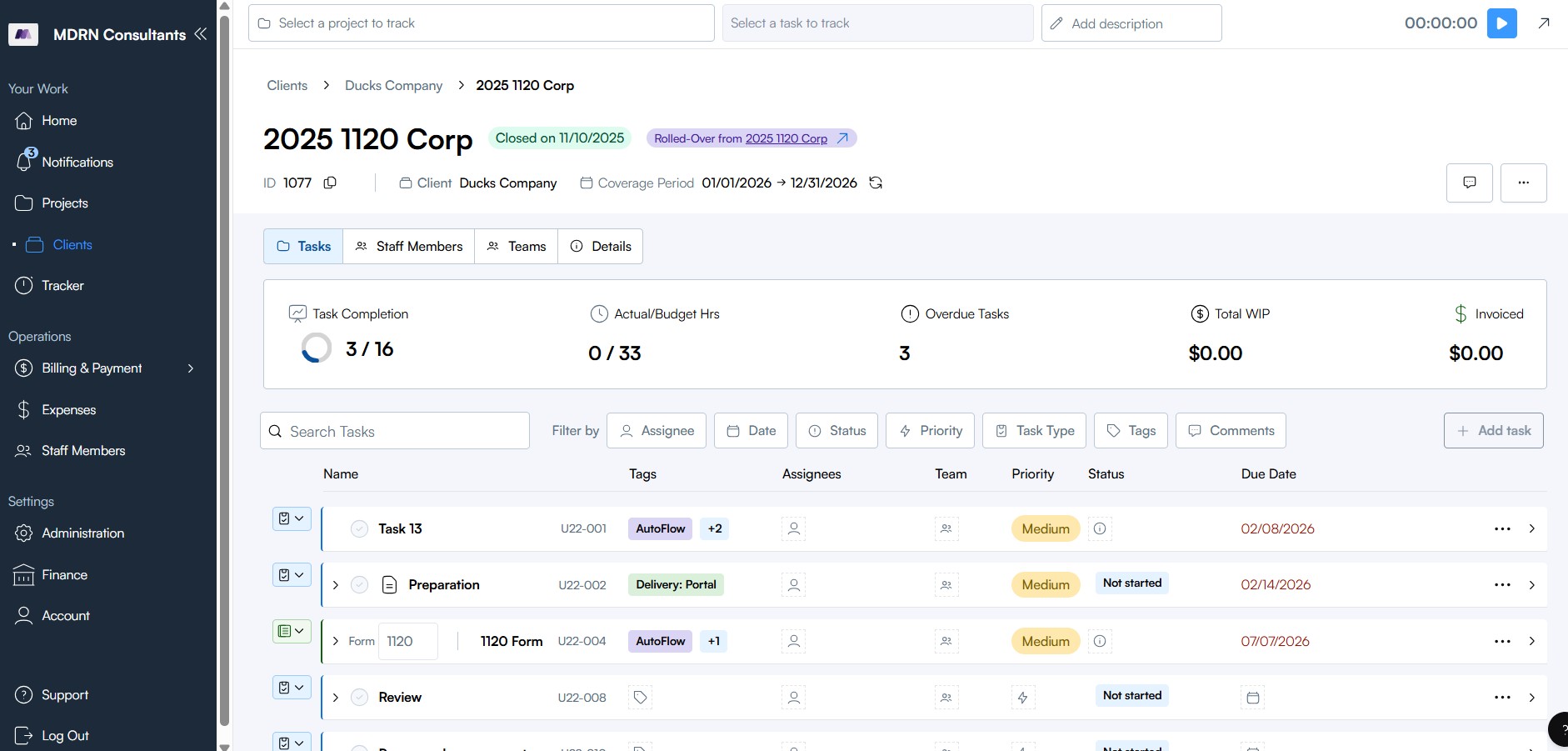
It happens without you
No more manually closing a project or clicking rollover — on the date you set, every project using that template rolls over on its own.
2
It happens without you
No more manually closing a project or clicking rollover — on the date you set, every project using that template rolls over on its own.
3
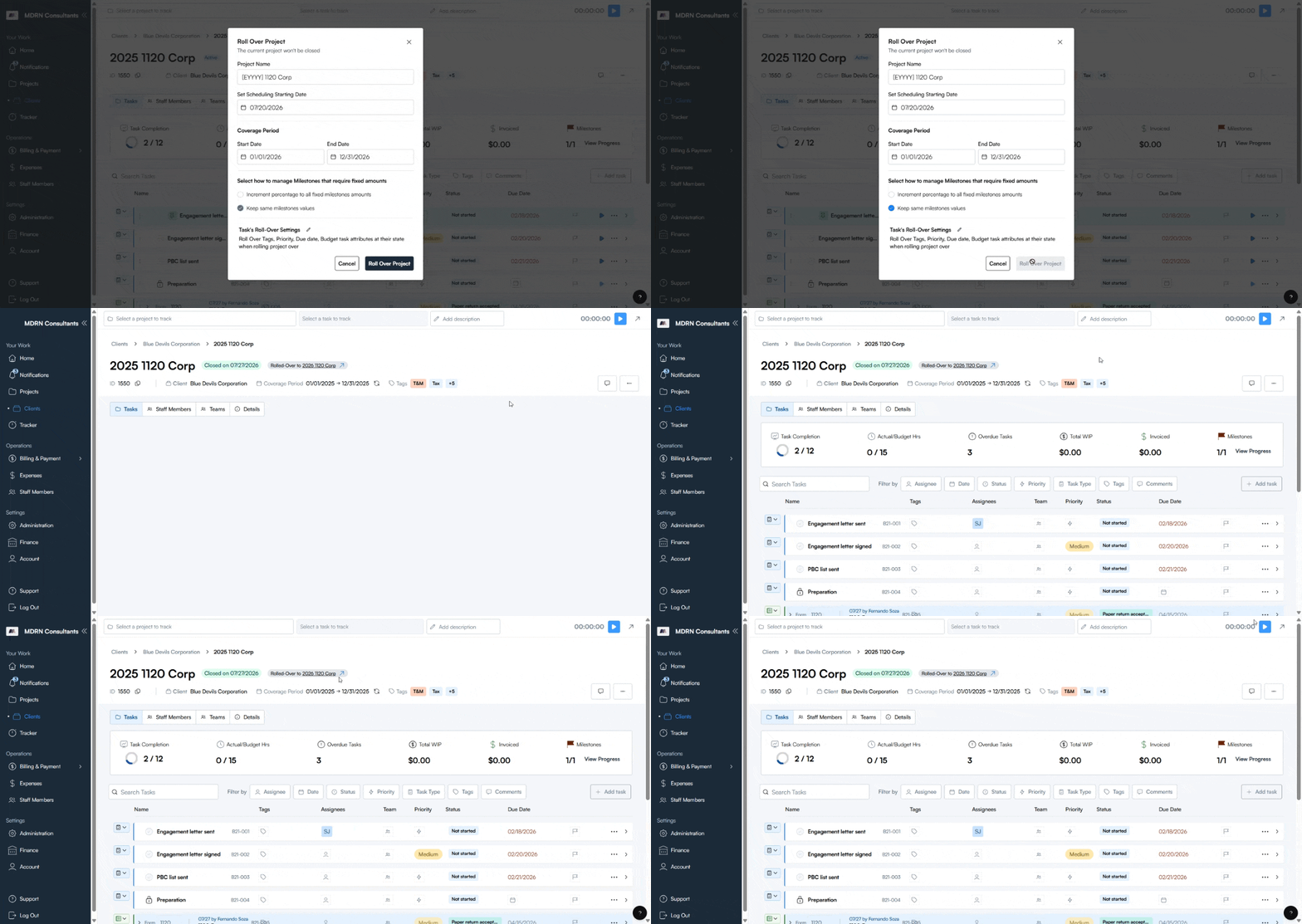
Next cycle, ready to go.
A new project is created automatically from the current one, moving the cycle forward (2024 → 2025, for example) without rebuilding anything from scratch.

4
4
5
6
4
