
Auto Milestones
Dates that fill themselves in.
The first in a growing set of task automations — starting with automatic completion dates.
1
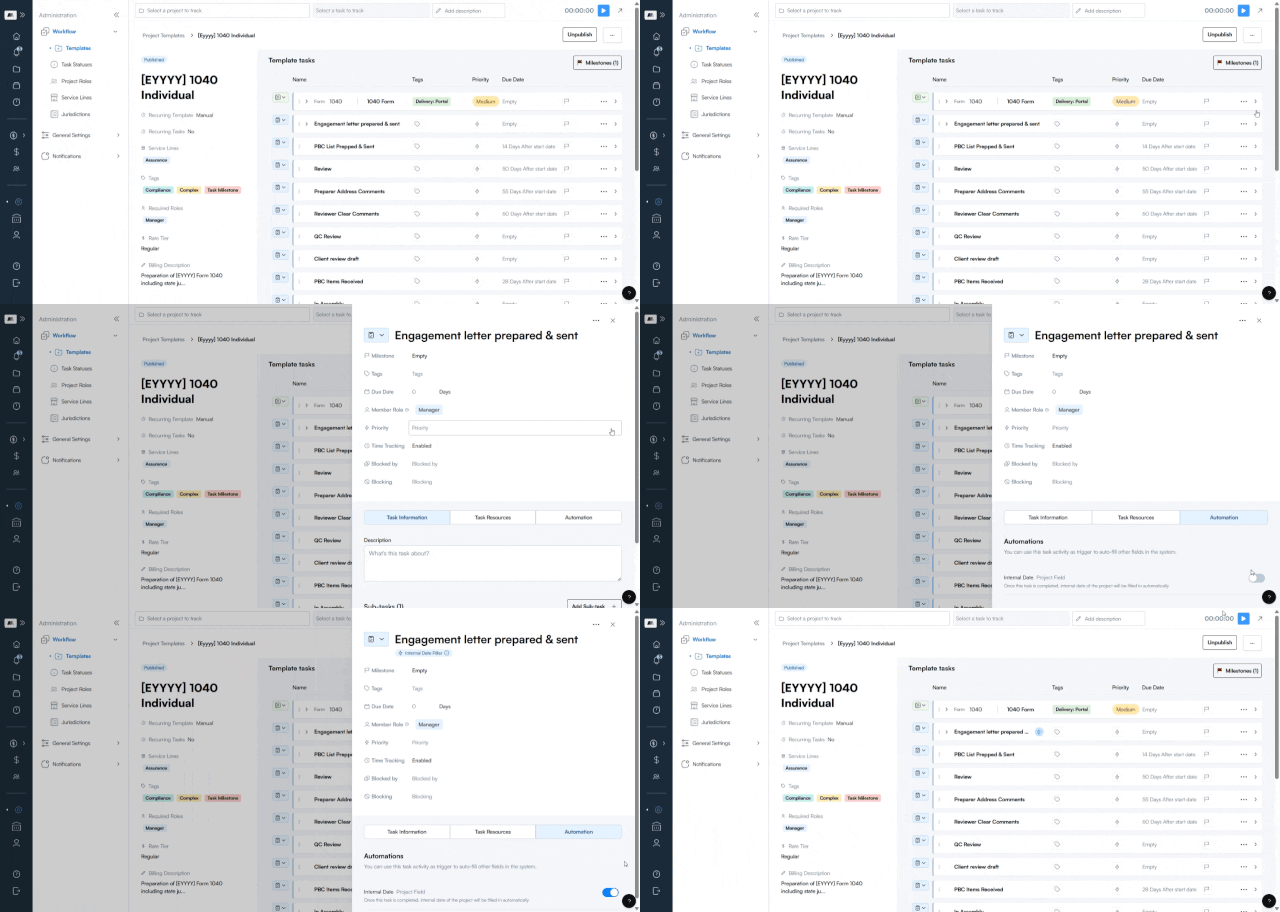
Turn it on, once, per task.
Inside any template, add an automation to a task with one toggle — no separate setup per project.
2
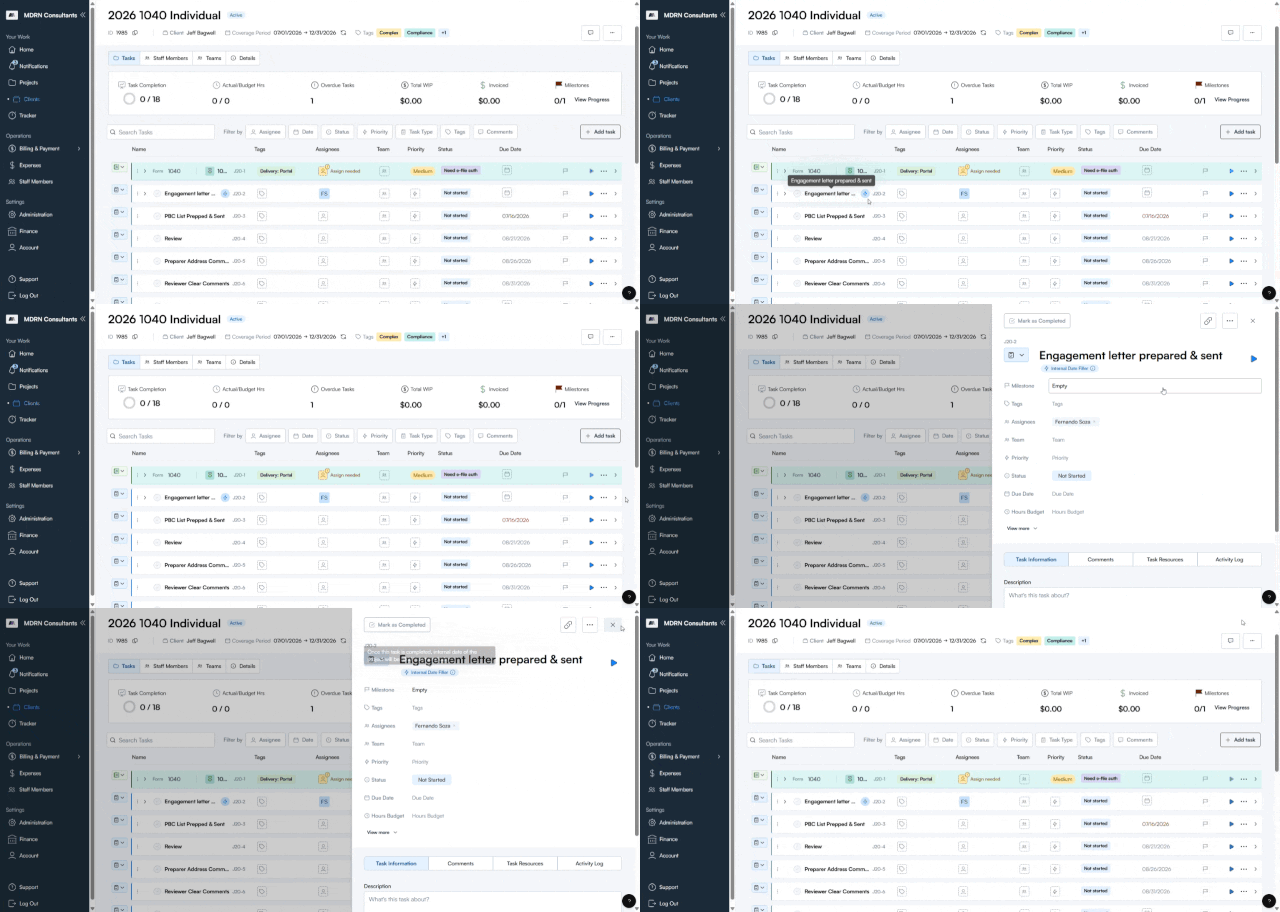
It travels with the template.
Build a project from that template, and the automation comes with it automatically — nothing to re-configure.
2
It travels with the template.
Build a project from that template, and the automation comes with it automatically — nothing to re-configure.
3
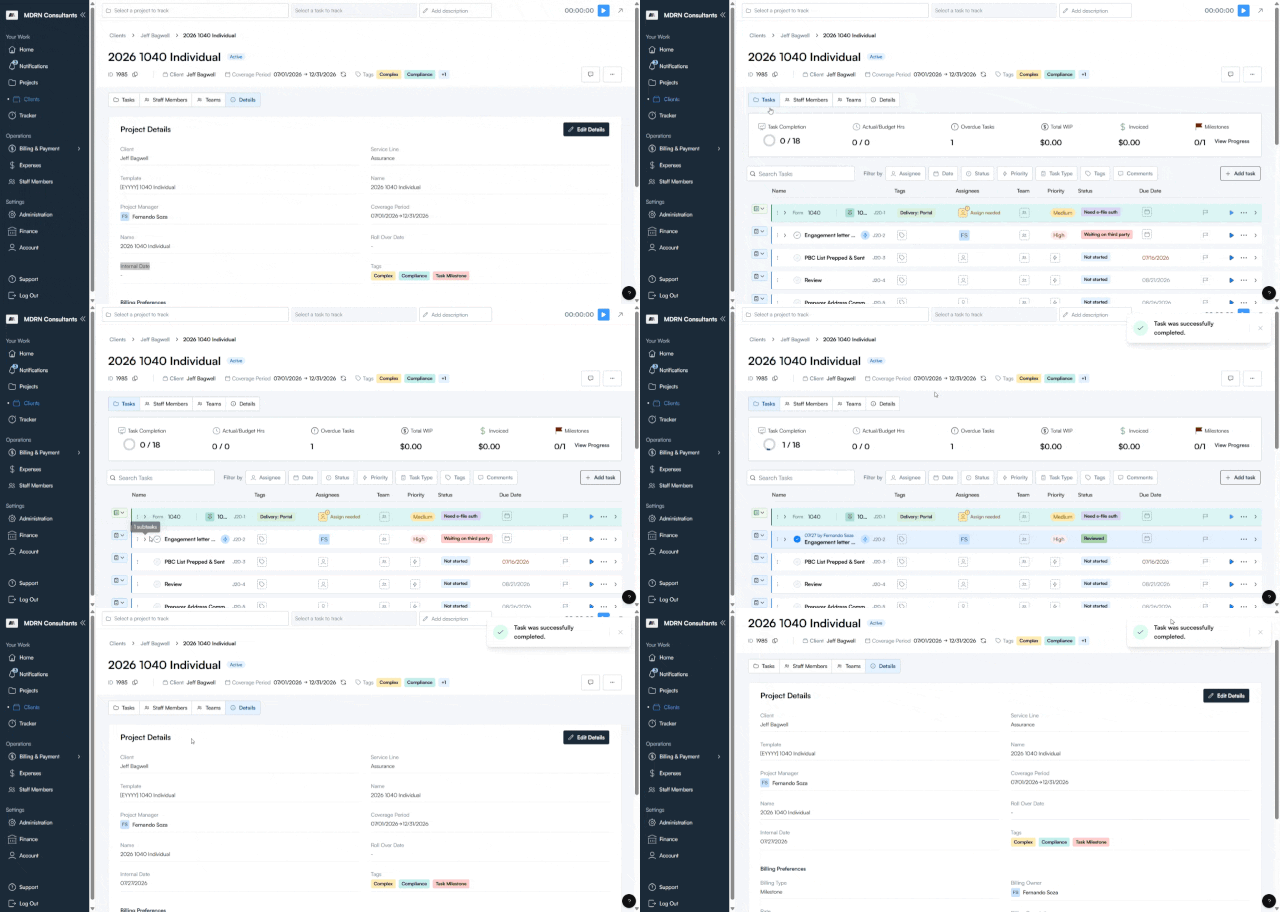
One field, always accurate.
When the task is marked complete, the project's Internal Date fills in on its own with the real completion date — no manual entry, no drift.

4
4
5
6
4
